

The SQL CASE statement is an essential tool for every data analyst. As a data analyst, you will frequently encounter datasets that aren’t quite ready for reporting. Perhaps you have a column of sales figures and need to categorize them into ‘High’, ‘Medium’, and ‘Low’ tiers, or maybe you need to normalize inconsistent region names.
This is where the SQL CASE statement becomes your most powerful asset. It functions as the “IF-THEN” logic of the SQL world, allowing you to transform data on the fly without needing to modify the underlying database structure.
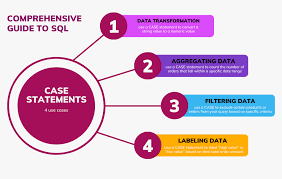
Understanding the SQL CASE Statement
The SQL CASE statement is your logic engine. It evaluates conditions and returns a result when the first condition is met. Think of it as a series of checks that stops as soon as it finds a match.
SQL
CASE
    WHEN condition_1 THEN 'Result_1'
    WHEN condition_2 THEN 'Result_2'
    ELSE 'Default_Result'
END AS new_column_name
The 3 Golden Rules
When writing your queries, follow these best practices to ensure your logic remains clean and efficient:
- Logic Order Matters: SQL stops reading at the first true condition it finds. Always put your most specific conditions (e.g.,
total > 5000) before your general ones (e.g.,total > 1000). - Always use END AS: Without the
ENDkeyword, your logic is incomplete. Without theASclause, your new column will have no name, which will break your future reports. - Handle the Leftovers: Always include an
ELSEclause. If you don’t, any data that fails your conditions will return as aNULLvalue, which can ruin your data analysis later.
When to Use the SQL CASE Statement
You should reach for this statement when you need to perform conditional logic within your SELECT statements. It is particularly useful for:
- Data Categorization: Grouping continuous data into distinct bins (e.g., grouping ages into demographics).
- Conditional Aggregation: Calculating sums or counts only for specific subsets of data.
- Data Cleaning: Replacing cryptic codes or null values with human-readable labels.
- Performance Optimization: Reducing the need for multiple subqueries or temporary tables.
Real-World Example (Parch & Posey)
This example categorizes orders into volume tiers to help management identify “Big Wins.”
SQL
SELECT
    total_amt_usd,
    CASE
        WHEN total_amt_usd > 5000 THEN 'High'
        WHEN total_amt_usd > 1000 THEN 'Medium'
        ELSE 'Low'
    END AS order_tier
FROM orders;
Advanced Technique: Nested SQL CASE Statement Logic
Sometimes, a simple condition isn’t enough. You might need to evaluate multiple layers of logic, which is where nesting comes in. A nested SQL CASE statement involves placing one CASE statement inside the THEN or ELSE clause of another.
For example, if you want to classify orders by “Region” first and then by “Volume” within that region, you can nest the logic. This allows for granular data segmentation, which is a hallmark of advanced data analysis and essential for creating precise, actionable business reports. When using nested logic, remember to keep your indentation clean so the query remains readable for other team members. For more technical documentation on conditional logic.
Common Pitfalls and Troubleshooting
Even experienced analysts run into issues with the SQL CASE statement. The most common mistake is failing to handle NULL values. If a row does not meet any of your conditions and you haven’t provided an ELSE statement, SQL returns a NULL value. This can cause significant errors in your calculations, such as when you attempt to sum or average that column.
If you are getting the wrong labels, check your logic order. If you put > 1000 before > 5000, the > 5000 data will be caught by the > 1000 rule first.
For additional practice, you can reference the W3Schools SQL CASE Reference for more examples.
Conclusion
Mastering conditional logic is a major milestone in your data journey. Ready to take your query skills even further? Dive into our detailed guide on [SQL Joins] next. If you are serious about fast-tracking your career and landing a high-paying remote role, [join the upcoming Analytixis Hub cohort]—where we provide the structure and mentorship you need to succeed.